
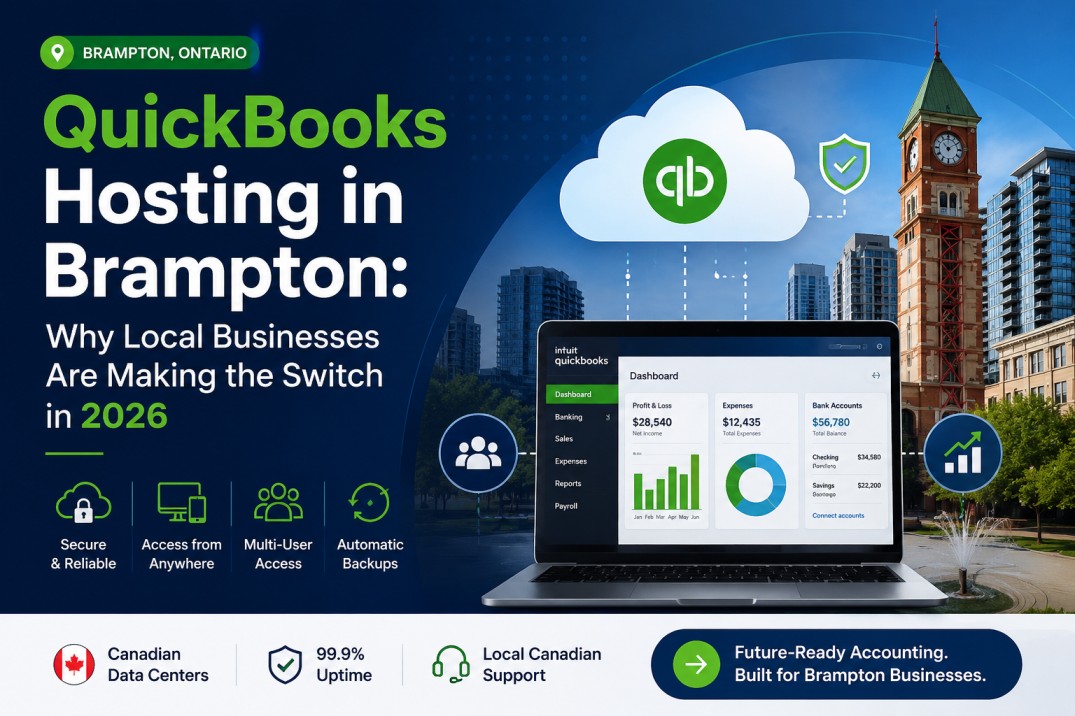
Brampton is one of Canada’s fastest-growing cities — home to thousands of logistics companies, accounting firms, construction businesses, transportation providers, and startups scaling rapidly. As these businesses expand and operations become increasingly digital, traditional desktop-based accounting systems are struggling to keep up.
Teams need remote access. Accountants need to collaborate across locations. Owners need real-time visibility into finances — without being tied to an office server.
This is why QuickBooks hosting in Brampton is gaining serious traction. It lets businesses keep using the QuickBooks Desktop software they already know, while moving it to secure cloud infrastructure.
This guide covers how QuickBooks hosting works, why Brampton businesses are making the switch, and what to look for in a Canadian hosting provider.
What Is QuickBooks Hosting?
QuickBooks hosting means running QuickBooks Desktop on a secure cloud server — rather than on a local computer or office machine.
Your software and company files live in a professional cloud environment. Authorized users connect remotely and work in the same familiar QuickBooks interface they’ve always used — just without being physically tied to one location.
This gives businesses:
- Access to QuickBooks from any device, anywhere
- Simultaneous multi-user access
- Reduced dependency on office hardware
- Automated backups and stronger security
- All the features of QuickBooks Desktop, in the cloud
Why Brampton Businesses Are Moving to QuickBooks Hosting?
1. Remote Access and Flexibility
Brampton businesses increasingly operate with hybrid teams, remote staff, and accountants who work off-site. QuickBooks hosting lets business owners pull reports from home, accountants log in from anywhere, and teams collaborate without being in the same room.
Whether your staff is in Brampton, Mississauga, Toronto, or working remotely across Canada — everyone accesses the same live QuickBooks environment.
2. Real-Time Multi-User Collaboration
Traditional QuickBooks Desktop installations are built around a single workstation. File-sharing is clunky, and simultaneous access is limited.
Cloud-hosted QuickBooks environments solve this. Multiple users can work in the same company file at the same time, with updates reflecting in real time. This is especially valuable for growing businesses managing high transaction volumes or working with external bookkeepers.
3. Reduced IT Burden
Running accounting software on a local server means someone has to manage hardware maintenance, software updates, backups, and security monitoring. For most small and mid-sized businesses, that’s a distraction from core operations.
With cloud hosting, the provider handles the infrastructure — so your team doesn’t have to.
4. Better Business Continuity
Local systems are vulnerable: hardware failures, power outages, theft, and accidental file deletion can all cause serious disruption. Cloud-hosted environments include automated backups, redundant infrastructure, and disaster recovery — so your financial data stays safe and accessible even when something goes wrong.
How QuickBooks Hosting Works?
The process is simpler than most businesses expect:
- Software deployment — QuickBooks is installed on a secure cloud server
- Data migration — Your existing company files are transferred securely
- User setup — Authorized users receive login credentials and permissions
- Remote access — Users connect and work in QuickBooks exactly as they did before
The interface looks and feels identical to what your team already uses. The only difference is where the software runs.
Industries in Brampton Benefiting from QuickBooks Hosting
Brampton’s economy is diverse, and many of its core industries rely heavily on accounting systems:
- Transportation and logistics companies
- Construction and contracting businesses
- Accounting and bookkeeping firms
- Wholesale and distribution companies
- Manufacturing businesses
- Retail and eCommerce operators
These sectors often need secure, multi-user accounting environments that can scale with growth and support mobile workforces — which is exactly what hosted QuickBooks delivers.
QuickBooks Hosting vs. Traditional Desktop Setup
| Feature | Traditional QuickBooks Desktop | QuickBooks Hosting |
|---|---|---|
| Access | Office-based only | Anywhere, any device |
| Multi-user collaboration | Limited | Real-time |
| Backups | Manual | Automated |
| Hardware dependency | High | Low |
| Scalability | Limited | Flexible |
| Security | Device-dependent | Cloud-managed |
For most growing businesses in Brampton, hosting is simply the more practical long-term setup.
Why Choose a Canadian QuickBooks Hosting Provider?
Data residency matters — especially for businesses handling sensitive financial information.
Choosing a Canadian hosting provider like Cloudnet means:
- Faster performance for Canadian users due to lower latency
- Canadian data residency — your files stay in Canada
- Better alignment with Canadian privacy considerations
- Local technical support that understands the Canadian business environment
Cloudnet specializes in Canadian cloud infrastructure built specifically for business applications like QuickBooks, making them a natural fit for Brampton companies looking to modernize their accounting operations.
What to Look for in a QuickBooks Hosting Provider?
Not all hosting providers are equal. When evaluating options, prioritize:
Security — Look for encrypted connections, user access controls, and automated backups.
Version support — Make sure the provider supports the QuickBooks version you use: Enterprise, Pro, Premier, or older desktop versions. Switching versions during a migration is an unnecessary complication.
Multi-user performance — If multiple team members will be working simultaneously, smooth performance isn’t optional.
Technical support — Downtime during month-end close or tax season is costly. Reliable, responsive support matters.
Scalability — As your business grows, your hosting environment should grow with it without requiring a full migration.
Common Questions About QuickBooks Hosting
Will the software look different? No. You’ll use the same QuickBooks Desktop interface your team already knows.
Is cloud hosting secure? Modern cloud environments typically offer stronger security than most local office setups — with encryption, access controls, monitoring, and automated backups built in.
Can I host an older version of QuickBooks? Yes. Most reputable providers, including Cloudnet, support multiple QuickBooks Desktop versions.
Do I need technical expertise to get started? No. Managed hosting providers handle setup, migration, maintenance, and updates — you just log in and work.
Is it suitable for small businesses? Absolutely. QuickBooks hosting scales from solo operators to multi-user teams, making it practical for businesses of all sizes.
The Future of QuickBooks Hosting in Brampton
Remote and hybrid work isn’t going away — and neither is the demand for cloud-based accounting infrastructure. Businesses across Brampton are reducing their reliance on office servers, prioritizing data security, and investing in tools that support distributed teams.
QuickBooks hosting fits squarely into that shift. It modernizes your accounting setup without forcing you to change the software your team already trusts.
If you’re a Brampton business looking to move QuickBooks to the cloud, Cloudnet offers Canadian-hosted solutions purpose-built for businesses like yours.
Ready to get started? Contact Cloudnet to learn more about QuickBooks hosting options for your business.