Your accountant is working from a client’s office in Calgary. Your bookkeeper is finishing payroll from home in Halifax. You’re reviewing financials from your hotel room in Toronto. And your QuickBooks file sits on a server in your head office that none of you can reach without a VPN, a workaround, or a phone call to the IT guy.
This is the reality for thousands of Canadian businesses still running QuickBooks Desktop on local servers. The software is powerful — QuickBooks Enterprise, QuickBooks Desktop Pro, QuickBooks Premier — but the moment your team needs to work remotely, things get complicated fast.
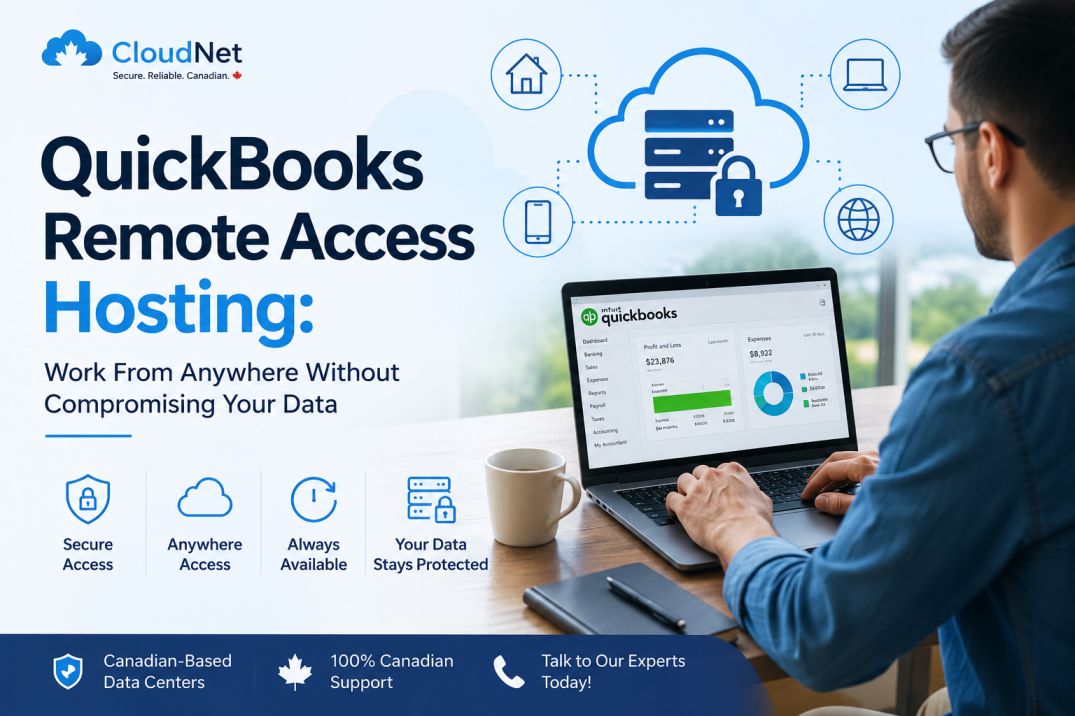
QuickBooks remote access hosting solves this completely. Instead of your QuickBooks file sitting on a physical server at your office, it lives on a secure cloud server that your team can reach from any device, anywhere in the world — with no IT headaches and no compromises on security.
This article explains exactly how it works, who it’s built for, what to look for in a Canadian hosting provider, and why more and more businesses are making the switch.
What Is QuickBooks Remote Access Hosting?
QuickBooks remote access hosting means your QuickBooks Desktop software — along with all your company files, data, and settings — is moved from your local computer or on-premise server to a managed cloud server. You and your team then access it remotely through a secure connection, typically via a Remote Desktop Protocol (RDP) session or a browser-based desktop interface.
From the user’s perspective, it feels identical to working on your own computer. QuickBooks opens the same way. Everything looks and functions exactly as you’re used to. The only difference is that the software is running on a server in a professionally managed data centre — not your physical machine.
What you can do with QuickBooks remote hosting:
- Open QuickBooks from your laptop, desktop, tablet, or even a smartphone
- Have multiple users working on the same company file simultaneously from different locations
- Access your accounting data from home, client sites, co-working spaces, hotels — anywhere with an internet connection
- Stop worrying about your local server crashing and taking your QuickBooks data with it
- Eliminate the need to set up and maintain your own VPN
This is different from QuickBooks Online. QuickBooks Online is Intuit’s cloud-native product — a separate, simplified version of QuickBooks built for the browser. QuickBooks remote access hosting is for businesses that want to keep using QuickBooks Desktop (Enterprise, Premier, Pro) with all its features, but gain the flexibility of cloud access. You get the best of both worlds: the full power of the desktop version, accessible like a cloud product.
Why Canadian Businesses Are Moving to Remote QuickBooks Hosting?
The shift to remote and hybrid work has changed what businesses need from their accounting software. But even before that, there were practical reasons Canadian businesses — especially accounting firms, CPA practices, and multi-location SMBs — were already moving to hosted QuickBooks.
Your Team Is No Longer Just in the Office
Whether it’s remote employees, accountants working from client sites, or business owners who travel, the expectation today is that accounting data should be accessible from wherever work actually happens. A QuickBooks file locked to one machine or one office network simply doesn’t work for that reality.
With remote access hosting, your entire team connects to the same file from wherever they are. No more emailing backups. No more “can you send me the latest version?” No more one person being the bottleneck because the file lives on their computer.
Local Servers Break — and It’s Expensive When They Do
On-premise servers have a finite lifespan. When hardware fails, businesses can lose hours or days of productivity while waiting for repairs. Worse, if backups weren’t running properly, data loss is a real possibility. Server hardware, maintenance contracts, and emergency IT support aren’t cheap either.
Cloud hosting removes this risk entirely. Your QuickBooks data lives on enterprise-grade infrastructure that is actively maintained, monitored, and backed up — not a server collecting dust in a back room.
Security Has Become a Compliance Issue
Canadian businesses are increasingly subject to security expectations from insurers, partners, and regulatory bodies. Many cyber insurance policies now explicitly require certain controls — encrypted storage, multi-factor authentication, access logging — that are difficult and expensive to implement on a local server, but come standard with professional cloud hosting.
Multi-User Access Without the Complexity
QuickBooks Desktop supports multi-user mode, but setting it up across an office network — let alone across multiple locations — involves network configuration, licensing, and ongoing IT support. Remote hosting handles all of that in the cloud. Every authorised user simply logs in, and QuickBooks knows exactly who’s accessing what.
How QuickBooks Remote Desktop Hosting Works?
The technical setup is straightforward, and you don’t need to understand every detail — that’s what your hosting provider handles. But here’s a plain-language overview of how the pieces fit together.
Step 1 — Your QuickBooks installation moves to the cloud
Your hosting provider sets up a dedicated or shared cloud server running Windows Server. QuickBooks Desktop is installed on that server, along with your current company file and any related data (templates, reports, third-party integrations). This process is called migration, and a good hosting provider handles it for you — including migrating your existing data — at no extra cost.
Step 2 — Users connect via secure remote desktop
When you want to open QuickBooks, you connect to the server using Remote Desktop Protocol (RDP). This is a Microsoft technology that’s been in use for decades and is highly secure when properly configured. You see a Windows desktop in your browser or remote desktop client, and you open QuickBooks just as you normally would.
Step 3 — The server does all the heavy lifting
Your local device — laptop, desktop, tablet — doesn’t need to be powerful. You could technically use a basic machine or even a thin client, because the actual processing happens on the server. Your device just displays what’s happening on the server and sends your mouse and keyboard inputs back to it.
Step 4 — Data is stored and backed up on the server
All your QuickBooks data stays on the server. It never lives on your local machine, which means if your laptop is stolen or your home computer crashes, your accounting data is completely safe. Professional hosting providers run automated daily backups, often with 30 or 90-day retention windows, so you can recover your data from almost any point in time.
Step 5 — Multi-factor authentication protects your login
A reputable Canadian hosting provider will require multi-factor authentication (MFA) for every login. This means even if someone gets hold of a user’s password, they still can’t access your QuickBooks without the second verification step — typically a code sent to a mobile device or an authenticator app.
Who Benefits Most From QuickBooks Remote Access Hosting?
Remote QuickBooks hosting isn’t just for large enterprises. Some of the businesses that benefit most are mid-sized and growing companies that have outgrown the limitations of a local setup.
Accounting Firms and CPA Practices
When your accountants work across multiple client files, often simultaneously and from different locations, the ability to access QuickBooks from anywhere isn’t a convenience — it’s an operational requirement. Hosted QuickBooks lets your team work on client files from the office, from home, or from a client’s location, all within the same secure environment.
Multi-Location Businesses
If you run operations across multiple offices or provinces, keeping a single QuickBooks company file accessible to all locations is a challenge on a local server. Cloud hosting makes this seamless — every location connects to the same instance with the same data, in real time.
Businesses With Remote or Hybrid Teams
For companies where some employees work from home and others come into the office, hosted QuickBooks creates a level playing field. Everyone gets the same access to the same data regardless of where they’re physically sitting.
Companies That Have Outgrown QuickBooks Online
QuickBooks Online is a capable product for small businesses, but it has limitations — fewer users, fewer advanced inventory and reporting features, and less flexibility for industry-specific workflows. Many businesses that have tried QuickBooks Online find themselves wanting the full power of QuickBooks Desktop again. Remote hosting gives you that power without sacrificing cloud accessibility.
Businesses Concerned About Data Security
If you’re in a regulated industry, handle sensitive client financial data, or have cyber insurance requirements to meet, remote hosting on a properly configured Canadian server gives you a much stronger security posture than a local machine or office server.
What to Look for in a QuickBooks Remote Hosting Provider in Canada?
Not all hosting providers are the same. Here’s what separates a reliable Canadian hosting provider from one that will cost you more in headaches than it saves in IT.
Canadian Data Centres
This is non-negotiable for Canadian businesses. If your QuickBooks data is stored on servers in the United States, it becomes subject to US laws — including legislation that can compel US-based providers to hand over data stored on US soil, even data belonging to Canadian citizens. A provider with Canadian data centres keeps your data under Canadian law, which matters for privacy-conscious businesses, government contractors, and firms with clients in regulated industries.
99.9% Uptime Guarantee Backed by an SLA
Your accounting data needs to be accessible during business hours — and sometimes outside of them. A proper hosting provider backs their uptime commitment with a Service Level Agreement (SLA), not just a marketing promise. Look for at least 99.9% guaranteed uptime, and ask what compensation or remedy exists if that threshold isn’t met.
Free Migration
Moving your QuickBooks installation from a local server to a cloud host sounds intimidating, but a reputable provider handles the entire process for you — and doesn’t charge extra for it. Free migration is a standard offering from providers that are confident in their onboarding process.
Multi-Factor Authentication and Enterprise Security
Your QuickBooks data contains sensitive financial information. The hosting provider should offer MFA as standard, along with firewall protection, SSL encryption for data in transit, and isolated user environments so that one client’s data is never accessible by another.
Dedicated Expert Support
When something doesn’t work as expected, you need a support team that understands both the hosting environment and QuickBooks specifically. A general IT support line that’s never dealt with QuickBooks multi-user issues is not the same as a team that handles QuickBooks hosting every day.
Simple, Flat-Rate Pricing
One of the clearest differentiators Cloudnet offers is its pricing model: $45 USD ($60 CAD) per user/month — one flat rate, every application included.
There are no per-app charges, no surprise add-ons, and no tiered plans that lock important features behind a higher price. Whether you’re running QuickBooks, Sage, Drake, ERP systems, or custom apps alongside each other, the price stays the same. One server. Unlimited applications. Predictable monthly billing.
Here’s what’s included at that flat rate:
- Unlimited applications hosted
- Dedicated virtual server environment
- Security updates and monitoring
- IT support included
- Unlimited business data storage
- Managed backups and disaster recovery
- Remote access from anywhere
- QuickBooks, Sage, Drake, ERP, and more
For businesses running multiple servers or requiring a custom setup, Cloudnet also offers custom pricing — just reach out to their team directly.
QuickBooks Remote Hosting With Cloudnet
Cloudnet is a Canadian cloud hosting provider serving businesses across Canada and the United States. With over 5,000 clients and more than a decade of experience, Cloudnet specialises in hosting the applications Canadian businesses actually run — including QuickBooks Desktop Enterprise, Premier, and Pro.
Here’s what Cloudnet’s QuickBooks remote access hosting includes:
Canadian data centres — Your QuickBooks data stays in Canada, under Canadian law. No cross-border data concerns.
99.9% uptime guarantee — Backed by a formal SLA so you have recourse if something goes wrong.
Free migration — Cloudnet’s team handles the entire migration of your QuickBooks installation and data. You don’t need to do anything technical.
Enterprise-grade security — Multi-factor authentication, encrypted connections, DDoS protection, daily automated backups, and proactive monitoring are included as standard — not as add-ons.
Multi-user support — Multiple team members can work in the same QuickBooks file simultaneously from different locations, with no additional configuration required.
Expert support — Cloudnet’s support team is available to assist with server management, QuickBooks access issues, and technical troubleshooting. Real people, real expertise.
No expensive hardware to maintain — When you move to Cloudnet, your on-premise server becomes optional. You stop paying for hardware maintenance, emergency IT callouts, and the unpredictable costs that come with running your own infrastructure.
Cloudnet serves accounting firms, construction companies, restoration businesses, manufacturing operations, and a wide range of other industries across Canada. The testimonials on their site speak for themselves — businesses that were hesitant about moving to the cloud routinely describe the transition as one of the best decisions they made.
Common Questions About QuickBooks Remote Access Hosting
Is this the same as QuickBooks Online?
No. QuickBooks Online is a separate product from Intuit — a simplified, browser-based version of QuickBooks. Remote access hosting lets you run the full QuickBooks Desktop software (Enterprise, Premier, Pro) on a cloud server and access it remotely. You keep all the features and power of Desktop, with cloud-level accessibility.
Do I need to buy a new QuickBooks licence?
In most cases, you use your existing QuickBooks licence. Your hosting provider installs and runs it on the cloud server under your licence. Licensing details can vary depending on your version, so confirm with your provider during onboarding.
How fast is the connection?
A stable internet connection of 5–10 Mbps per user is typically sufficient for smooth QuickBooks remote desktop sessions. Most business broadband and home internet connections easily exceed this. The experience is generally smooth and responsive.
Is my data safe if my laptop is stolen?
Yes. With remote hosting, your QuickBooks data never lives on your local device. It stays on the secure cloud server. If your laptop is lost or stolen, the accounting data is completely safe — and you can log in from any other device and be back to work immediately.
Can I access QuickBooks on a Mac?
QuickBooks Desktop is a Windows application, but with remote hosting you can access it from a Mac. You’re connecting to a Windows server session, so the operating system of your local device doesn’t matter.
What happens to my data if I stop using the hosting service?
A reputable provider will give you your data in a standard format so you can restore it locally or migrate it to another provider. Always confirm this in your service agreement before signing up.
Making the Move: What the Migration Process Looks Like?
One of the main reasons businesses delay moving to hosted QuickBooks is uncertainty about what migration involves. Here’s a realistic picture of what the process looks like with a provider like Cloudnet.
Initial consultation — You have a conversation with the hosting team about your current setup: which version of QuickBooks you’re running, how many users need access, any third-party integrations or add-ons, and your timeline.
Server setup — Cloudnet configures a cloud server environment for your needs — the right amount of processing power, RAM, and storage to run QuickBooks smoothly for your team size.
Migration — Your QuickBooks installation, company file, and related data are migrated to the server. This typically happens with zero or minimal disruption to your operations. Many providers can do this over a weekend so you’re live by Monday morning.
User setup and testing — Each user is set up with login credentials and MFA. Cloudnet’s team tests everything to make sure QuickBooks opens correctly, multi-user access works, and your data is intact.
Go-live and support — You and your team start using the hosted version. The Cloudnet support team is available if anything needs adjusting in the first days or weeks.
The whole process is typically completed within a few business days to a week, depending on the complexity of your setup.
The Bottom Line
If your business is still running QuickBooks Desktop on a local server or a single machine, you’re carrying a risk that most Canadian businesses can no longer afford — the risk of being locked out when you’re not in the office, the risk of hardware failure, and the risk of being unable to meet the security expectations your clients, insurers, and partners increasingly require.
QuickBooks remote access hosting eliminates all of that. Your team works from wherever they need to be. Your data is safe, backed up, and accessible. And you’re not paying for hardware, emergency IT, or the downtime that comes with maintaining your own server.
Cloudnet has been helping Canadian businesses make this transition for over a decade. Their model is simple: managed, secure, Canadian cloud hosting with real expert support and no surprises on the bill.
If you’re ready to give your team the ability to access QuickBooks from anywhere — without compromising on security — get in touch with Cloudnet today for a free consultation and quote.
About Cloudnet
Cloudnet is a Canadian-based cloud hosting and managed IT company serving businesses across Canada and the United States. Their services include application hosting (QuickBooks, Sage, AutoCAD, Microsoft Office), cloud hosting, dedicated server hosting, disaster recovery, cybersecurity, and VoIP. With 99.9% uptime guaranteed by SLA and a dedicated technical support team, Cloudnet helps businesses run securely without the overhead of in-house IT infrastructure.
📞 Toll Free: (888) 306-6628
🌐 cloudnet.ca
📧 sales@cloudnet.ca