
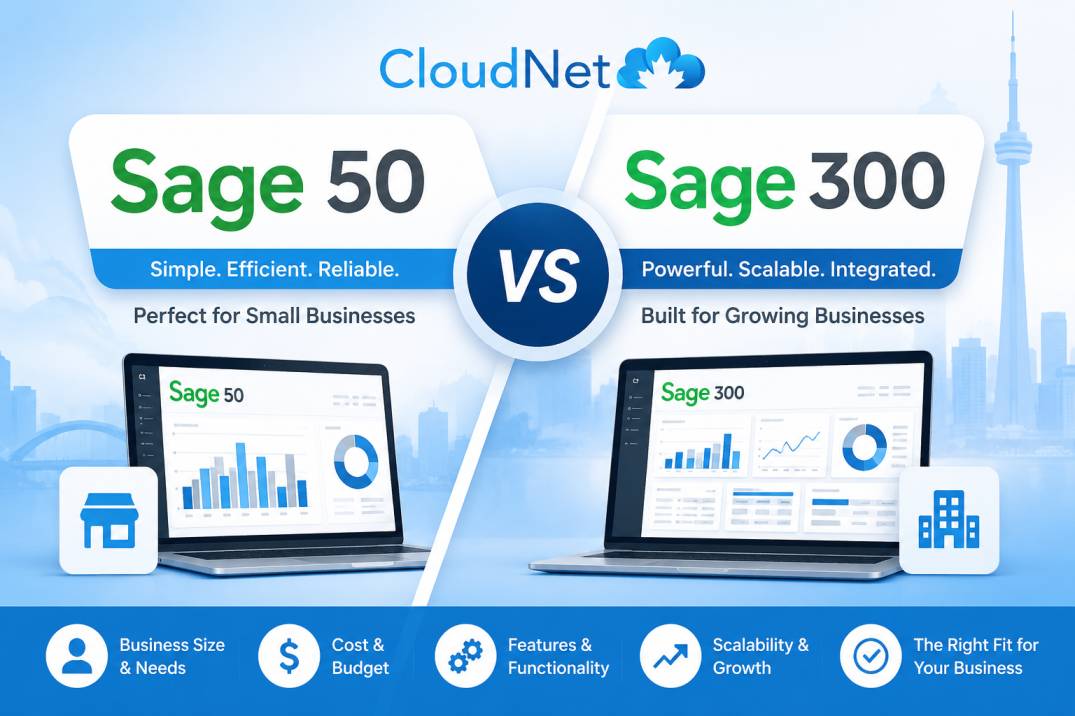
A distribution company in Kitchener has run Sage 50 since it was still called Simply Accounting. It works, mostly — until month-end, when the inventory reports start feeling thin and the owner starts wondering if there’s something bigger they should be using. Meanwhile, a fifteen-person manufacturer in Brampton keeps hearing “Sage 300” from their accountant and has no idea if that means a small upgrade or a complete system overhaul.
Both are asking a version of the same question, and it’s more confusing than it should be — because “Sage” isn’t one product. Sage sells several different accounting platforms under the same brand name, and the gap between them is bigger than most comparisons let on. Sage 50 and Sage 300 in particular get confused constantly, partly because the names sound like a simple size difference (50 vs 300) when they’re actually two different categories of software.
This guide clears that up in plain terms: what each one actually is, what it costs in Canada, who genuinely needs which one, and how to tell where your business sits.
The short answer: what’s the real difference?
Sage 50 is accounting software. Sage 300 is a full ERP (enterprise resource planning) system that happens to include accounting. Sage 50 handles the books for a small to mid-sized business well. Sage 300 manages accounting alongside inventory, multi-entity operations, project costing, and multi-currency for larger, more complex operations. Most Canadian small businesses need Sage 50. Sage 300 earns its place once a business genuinely outgrows what accounting software alone can do.
Think of it this way: Sage 50 answers “what happened in our finances.” Sage 300 answers that plus “how is the whole business actually running” — inventory across locations, project profitability, multiple companies or currencies, and finance connected to operations rather than sitting beside it.
That’s the real dividing line, and it matters more than the “50 vs 300” naming suggests. This isn’t a small step up — it’s a different category of software.
What Sage 50 actually does well?
Sage 50 (formerly Simply Accounting) is desktop-installed accounting software with cloud connectivity, built for small to mid-sized Canadian businesses. It handles day-to-day bookkeeping, payroll, basic-to-moderate inventory, and GST/HST compliance reliably, at a price that’s accessible for a small operation.
For the businesses it’s built for, Sage 50 genuinely delivers:
- Solid core accounting — invoicing, billing, accounts payable/receivable, bank reconciliation
- Built-in payroll, bundled as an add-on, handling Canadian payroll calculations
- Inventory tracking that covers most small businesses’ needs — not advanced multi-location or assembly-level inventory, but enough for a typical retailer, contractor, or distributor
- Customizable reporting, including export to Excel for the reports that need extra polish
- Multi-user access for a small team working in the same file
- A long track record in Canada — this is the direct successor to Simply Accounting, and it’s been the backbone of Canadian small-business accounting for decades. A lot of bookkeepers and accountants already know it inside out.
Sage 50 is genuinely good software for what it’s designed to do. The businesses that struggle with it aren’t usually struggling because it’s bad — they’re struggling because they’ve quietly outgrown it.
What Sage 300 actually does well?
Sage 300 (formerly Accpac) is a complete ERP solution, not just an accounting program. It’s built for businesses that need finance connected to operations — multiple entities, multiple currencies, complex inventory across locations, and project-level costing — typically businesses with 50+ employees or genuinely complex operations.
Sage 300 covers everything Sage 50 does, then goes considerably further:
- Multi-entity and multi-currency support — manage several related companies or cross-border operations in one system
- Advanced inventory — multiple warehouses, assemblies, and inventory logic that Sage 50 simply isn’t built to handle at scale
- Project and job costing — track profitability on individual projects or contracts, not just the business as a whole
- Deeper, more flexible reporting across the whole operation, not just the finance function
- Scales with growth — designed to be extended and configured as a business’s needs change
The trade-off is real: Sage 300 is not a self-serve setup. Most implementations go through a Sage partner or consultant, the onboarding is a genuine project rather than an afternoon, and the pricing reflects that it’s enterprise-grade software.
How much do Sage 50 and Sage 300 cost in Canada?
Sage 50 typically runs roughly $87 to $245 per month depending on plan and features, plus payroll if you add it. Sage 300 is priced very differently — as a per-user license, generally in the range of $2,200 to $2,800 CAD per user, before implementation costs. The gap in price reflects the gap in what you’re actually buying: accounting software versus a full ERP system.
A rough sense of the real numbers:
| Sage 50 | Sage 300 | |
|---|---|---|
| Pricing model | Monthly/annual subscription | Per-user license |
| Typical cost | ~$87–$245/month | ~$2,200–$2,800/user (license only) |
| Payroll | Bundled add-on, roughly $1,500/year for a Pro + Payroll plan | Separate module |
| Implementation | Self-serve setup | Usually requires a Sage partner |
| Best fit | Small to mid-sized business | 50+ employees, complex operations |
These are ballpark figures — Sage adjusts pricing and packaging periodically, so confirm current numbers before budgeting. But the shape of the comparison is what matters: Sage 50 is priced like software a small business buys itself. Sage 300 is priced, and sold, like a system a growing business implements with help.
Which one does your business actually need?
If most of these describe your business, Sage 50 is very likely the right fit: fewer than 50 employees, accounting is mainly about bookkeeping rather than operations, inventory is straightforward, and you don’t need multiple entities or currencies in one system. If two or more of the following describe you, it’s worth a real conversation about Sage 300: multiple related companies, multi-currency operations, project-based costing across many jobs, or inventory and operations complex enough that your accounting software has started to feel like it’s fighting you.
A practical self-check:
Stick with Sage 50 if:
- Your team is under 50 people
- You run one company, one currency
- Inventory is real but not multi-location or assembly-heavy
- Your accountant or bookkeeper already knows Sage 50 well
- You want to set it up yourself without a consultant
Consider Sage 300 if:
- You operate multiple related entities or need consolidated reporting across them
- You do business in more than one currency regularly
- You need project or job costing at a level Sage 50 can’t give you
- Your inventory spans multiple locations or involves assemblies
- You’ve genuinely outgrown Sage 50’s reporting and it’s costing you time or decisions
A useful reality check: a lot of businesses that think they need Sage 300 actually need Sage 50 set up properly, or need better processes around the software they already have. Before committing to an ERP-level system and its implementation cost, it’s worth confirming the problem is really “our software can’t do this” rather than “we haven’t configured what we have correctly.” A good bookkeeper or your hosting provider’s support team can usually tell you which one it is.
The upgrade path: moving from Sage 50 to Sage 300
If your business has genuinely outgrown Sage 50, moving to Sage 300 isn’t starting over — it’s a recognized upgrade path, and you’ll keep working with concepts and workflows that feel familiar even though the system underneath is considerably more powerful.
This is worth knowing if you’re on the fence: businesses move from Sage 50 to Sage 300 often enough that it’s a well-worn path, not an unusual leap. You’re not abandoning what you know — you’re extending it. The core accounting logic carries over conceptually, even though Sage 300 is a different, deeper system underneath.
The honest caveat: it’s still a real project. Data migration, reconfiguration, and usually some hands-on help from a Sage partner are part of the process. Budget time for it, not just money.
One thing both versions have in common: where they run matters
Both Sage 50 and Sage 300 are desktop-based software at their core, which means — just like QuickBooks Desktop — they have to run somewhere. For a growing business, especially one with more than one location or a remote/hybrid team, where that “somewhere” is can matter as much as which Sage version you choose.
This is easy to overlook while you’re deciding between Sage 50 and Sage 300, but it shapes the day-to-day experience either way:
If Sage lives on one office computer, you’re back to the familiar limits — clunky multi-user access, no clean way for a remote bookkeeper or a second office to get in, and you become the person keeping a server alive. This applies whether you’re on Sage 50 or you’ve just invested in Sage 300.
Hosting Sage on a managed cloud server solves this regardless of which version you’re on: your team logs into the same file from anywhere, at the same time, while the server, security, and backups are handled for you. It’s the same Sage you chose — just running somewhere built for multi-user, multi-location access. We’ve covered how this works in more detail for Sage 50 hosting and Sage cloud hosting more broadly.
For a Canadian business, there’s also the data residency question worth asking regardless of which Sage version you run — where your hosting provider’s servers physically sit determines which country’s laws govern your financial data. Canadian data centres keep that data under Canadian jurisdiction.
Frequently asked questions
Is Sage 300 just a bigger version of Sage 50? Not really — it’s a different category of software. Sage 50 is accounting software; Sage 300 is a full ERP system that includes accounting alongside inventory, multi-entity, multi-currency, and project management capability. It’s a difference in kind, not just size.
How much does Sage 300 cost compared to Sage 50? Sage 50 is priced as an accessible monthly/annual subscription, roughly $87–$245/month. Sage 300 is priced per user as a license, typically $2,200–$2,800 CAD per user, before implementation. Sage 300 is a considerably larger investment, reflecting that it’s enterprise-grade software rather than small-business accounting software.
Can I switch from Sage 50 to Sage 300 later if my business grows? Yes — this is a well-established upgrade path, and many growing Canadian businesses make this move. It’s a real project involving data migration and usually a Sage partner’s help, but you’re not starting from scratch conceptually.
Do I need a consultant to set up Sage 300? Almost always, yes. Sage 300 implementations are typically handled through a Sage partner or consultant rather than self-serve, unlike Sage 50 which most businesses can set up themselves.
Is Sage 50 good enough for a business with inventory? For most small to mid-sized businesses, yes — Sage 50’s inventory tracking covers typical retail, contracting, or distribution needs well. It becomes a limitation once you need multiple warehouse locations, assembly-level inventory, or inventory tightly integrated with project costing — at which point Sage 300 becomes worth considering.
Can Sage 50 or Sage 300 be hosted in the cloud? Yes, both are desktop-based software that can be hosted on a managed cloud server, giving your team remote, multi-user access without running your own office server. The choice of Sage 50 vs Sage 300 and the choice of where to host it are two separate decisions.
The bottom line
For most Canadian small and mid-sized businesses, Sage 50 is the right answer — it’s reliable, well-understood, priced accessibly, and handles day-to-day accounting and moderate inventory well. Sage 300 earns its place once a business has genuinely outgrown accounting software alone and needs finance connected to real operational complexity: multiple entities, multiple currencies, project costing, or inventory at a scale Sage 50 wasn’t built for.
The mistake to avoid is buying based on the name rather than the need — “300” sounds more serious than “50,” but plenty of businesses running Sage 300 would be equally well served, and much less burdened, by a properly configured Sage 50. Match the software to your actual operations, not to which number sounds more impressive.
Whichever version fits your business, Cloudnet hosts both Sage 50 and Sage 300 for Canadian businesses in Canadian data centres, with free migration and a dedicated Canadian support team — so your team can work in the same file from anywhere, without the office-server headaches. Talk to us for a free consultation and we’ll help you think through whether Sage 50 or Sage 300 is the right fit, and what hosting either one well actually looks like.
Related reading
- Sage 50 Hosting Provider in Canada — hosting Sage 50 specifically
- Sage Cloud Hosting Provider in Canada — hosting Sage more broadly, including Sage 300
- QuickBooks Enterprise for Canadian Bookkeepers: Is It Worth It? — the same “do I actually need the bigger version” question, for QuickBooks
- How Much Does QuickBooks Hosting Cost in Canada? — for businesses weighing QuickBooks against Sage
About Cloudnet
Cloudnet is a Canadian cloud hosting and managed IT company serving businesses across Canada and the United States. We host Sage 50 and Sage 300, QuickBooks, and other business applications in Canadian data centres, with a 99.9% uptime guarantee backed by SLA, free migration, and a dedicated Canadian support team.
📞 Toll Free: (888) 306-6628 🌐 cloudnet.ca 📧 sales@cloudnet.ca